

Rock steady with Jukepod!
Jukepod is a stripped-down, optimised fork of Rockbox, the well-known free firmware for classic iPods. Designed specifically for older models, from the 1st to the 4th generation, it has one clear goal: to play large music libraries while reducing the risk of memory card corruption and data loss.
Unnecessary features have been stripped away to free up valuable memory and reduce background activity. Memory management has been optimised to better handle demanding audio formats, including large FLAC files, helping make the most of the limited RAM available in older iPods.
Dedicated monitoring tools help keep an eye on your memory card and hardware, while optimised storage access and data handling aim to minimise unnecessary writes and reduce the risk of corruption. The result is a leaner, more efficient music player designed to protect your music collection and deliver a more reliable listening experience.

Rebuild your iPod. Rediscover your music.
Setting up a flash-modded classic iPod shouldn't be complicated. Jukepod and its companion app, Jukepod Flasher, work together to make the entire process as straightforward and painless as possible — from checking and preparing your memory card to transferring your music, optimising your album artwork and installing the firmware.


Album artwork is taken care of, too. Jukepod Flasher can search online for missing covers, process artwork in different image formats, resize and optimise images for your iPod's screen, and prepare your collection in one go. No more manually hunting for covers or resizing images one album at a time.
Designed for 1st to 4th generation iPod Classics, including Colour models, Jukepod rethinks how these older devices handle today's large music libraries. Optimised memory management makes better use of limited RAM, while refined storage read and write handling aims to improve reliability and minimise the risk of memory card corruption.
And it's not just about what's happening under the hood. Jukepod introduces additional in-player options and useful tools that give you greater control over your listening experience, your storage and your music collection.
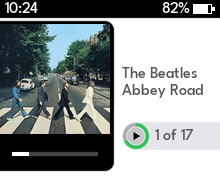
Less hassle setting up. More room for your music. Optimised artwork. A classic iPod built around the way you listen today.
Choosing the right mods
There's a huge range of mod components available for classic iPods, and supporting every possible combination simply isn't practical. Instead, we've carefully selected affordable, reliable and widely available components that work well with Jukepod.
For anyone new to iPod modding, choosing the right combination of adapter board, memory card, connecting cable and battery can be a minefield. Not every component works with every model, and getting the combination wrong can lead to wasted money, compatibility problems and plenty of frustration.
That's where Jukepod makes things easier.
For each supported iPod model, from the 1st through to the 4th generation, including Colour models, we recommend the exact components you'll need — from storage adapters and memory cards to replacement batteries, cables and even the tools required to open and upgrade your iPod.
Our aim is simple: take the guesswork out of modding, help you avoid unreliable or incompatible components, and make upgrading your classic iPod as straightforward and affordable as possible.
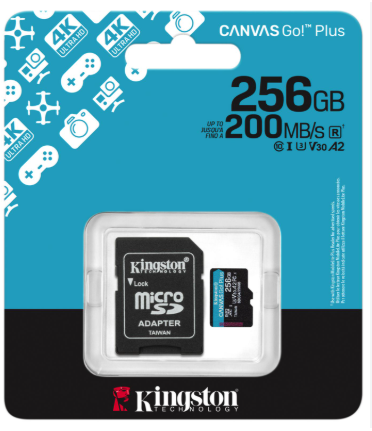
Kingston Canvas Go! Plus microSD card 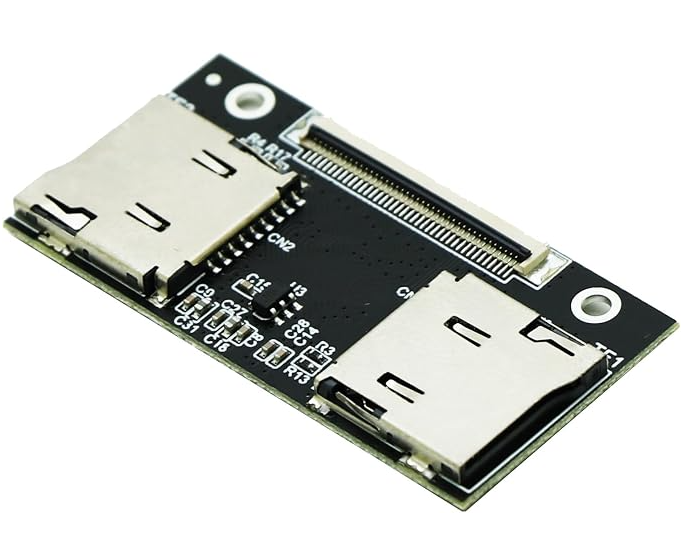
Dual microSD to CE adapter 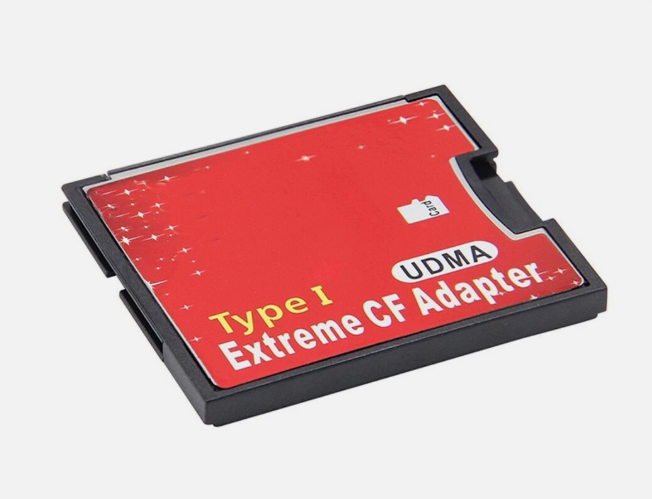
microSD to CompactFlash adapter 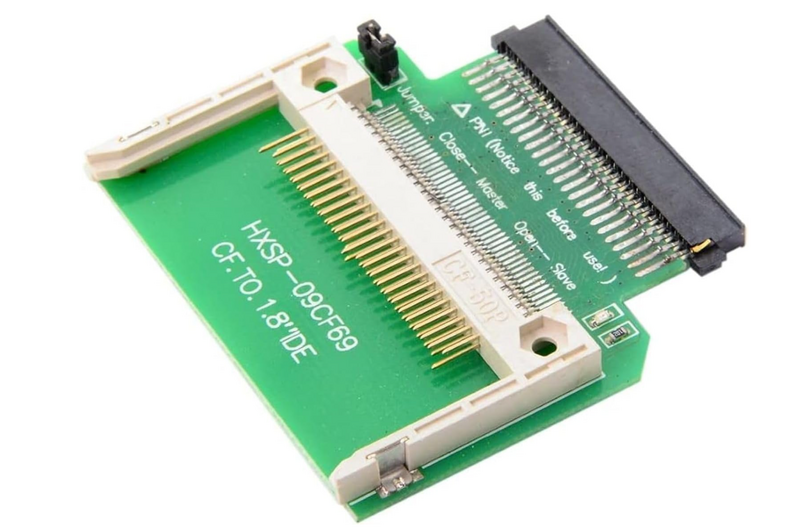
CompactFlash to 1.8" 50-pin IDE adapter 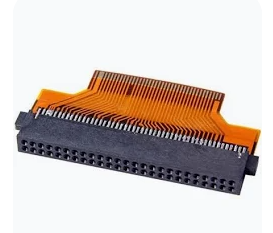
1.8" IDE to ZIF/CE converter 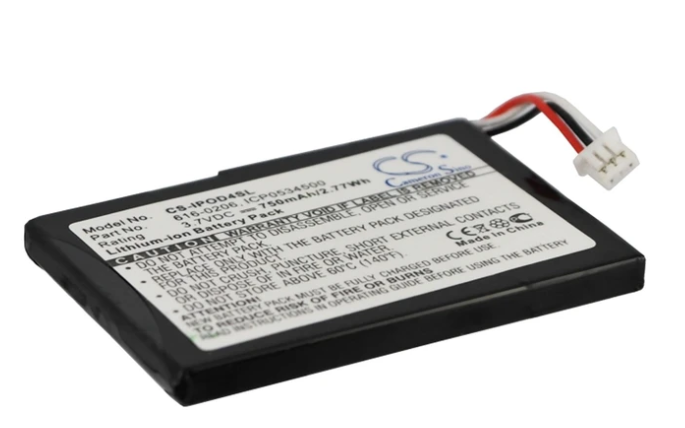
Replacement battery
New to iPod modding? We've got you covered.
We're also planning to launch a series of step-by-step video guides early in the new year, walking you through the entire process of upgrading your own classic iPod. From choosing and ordering the right parts to opening your iPod, fitting the components and setting everything up with Jukepod Flasher, we'll guide you through every stage.
The right parts. The right tools. Clear instructions. Everything you need to give your classic iPod a new lease of life.
Made for the iPod you rebuilt
Built for flash-modded iPods
Designed for classic iPods from the 1st generation through to the 4th generation, Jukepod is built with flash storage in mind. Replace the ageing hard drive with an adapter board and memory card, and enjoy a lighter, silent iPod with room for a much larger music collection.
Lean by design. Optimised for music.
Unnecessary features are stripped away, leaving more memory and resources for what matters: playing your music. Optimised memory management helps handle demanding formats like large FLAC files, while refined storage access and monitoring tools aim to reduce the risk of memory card corruption and keep your hardware in check.
Apple's firmware is still there
Jukepod launches by default, but Apple's original firmware remains available. Hold MENU while switching on your iPod to boot into Apple's software instead — keeping the original experience just a button press away.
Built to keep playing. Designed to minimise corruption.
Memory card corruption can put your entire music library at risk. Jukepod is built with one priority at its core: minimise the risk of corruption and help protect your music. From carefully optimised storage operations to proactive health checks and error recovery, every improvement is designed to reduce the chances of storage problems damaging your files or interrupting playback.
-
Optimised writes
Every write to your memory card matters. Jukepod refines storage write operations to minimise unnecessary activity and reduce opportunities for data corruption. By carefully managing how data is written, Jukepod aims to help protect your music library and keep your flash storage working reliably.
-
Optimised card communication
Jukepod uses optimised UDMA 2 and PIO transfer handling, rechecking the connection whenever your memory card wakes from sleep. Reliable communication between the iPod and its storage helps reduce the risk of transfer errors that could compromise data integrity.
-
Built-in error recovery
Storage errors shouldn't automatically mean a crash or corrupted files. Jukepod is designed to handle card errors more gracefully, recovering where possible and managing failures to reduce the risk of further problems. The goal is to keep playback running when it is safe to do so and protect your data when it isn't.
-
Start-up health checks
Jukepod checks your storage for potential problems at start-up. If an issue is detected, it can disable further writes to help prevent an existing fault from becoming a bigger problem. Early detection and write protection help reduce the risk of further corruption to your music collection.
-
Built-in black box
When a crash or freeze occurs, Jukepod's diagnostic logging records information to help uncover the cause. These logs make it easier to investigate storage faults, identify recurring problems and develop fixes that improve reliability over time.
-
Drive Health
Monitor your memory card's behaviour through Jukepod's dedicated Drive Health page. Review recorded errors, transfer retries and slow responses to help identify warning signs early. The more you know about your storage, the better equipped you are to spot potential problems before they threaten your music library.
And there’s more — Jukepod Flasher does the hard work for you.
No iTunes. No complicated setup. Just one companion app that takes care of everything.
Jukepod Flasher checks your memory card for authenticity and health, prepares it for use, transfers your music and album artwork, builds your music library and installs the firmware. Whether you’re installing Jukepod or standard Rockbox, it guides you through the process step by step.
One tool. Your entire iPod setup.
Jukepod firmware is designed specifically for the iPod Classic 1st to 4th generations, including both monochrome and Colour models. But Jukepod Flasher goes further: it supports preparing or changing storage on iPod Classics from the 1st through to the 7th generation, installing standard Rockbox on models that aren’t supported by Jukepod itself.
From checking your card to getting your music ready to play, Jukepod Flasher makes rebuilding your classic iPod simpler.

Select your storage device.
- Dual boot, configured for you
- Jukepod boots by default, with Apple's original firmware just a button press away. Hold MENU during start-up to launch Apple's software instead. Jukepod Flasher configures the boot options and shows you exactly what will appear on your iPod's screen.
- Manage your music with ease
- View your existing music library alongside the tracks on your computer. Select what to add, deselect what to remove, and check how much storage space you'll use before applying any changes.
- Album artwork, ready to go
- Prepare your album covers in one go, resizing them to fit the iPod's Now Playing screen. Missing artwork? Jukepod Flasher can search online for covers when you choose to.
- Work with card images
- Don't have a memory card reader handy? Create or work with a card image file on your computer, then write it to a physical memory card when you're ready.
- No installation required
- Jukepod Flasher runs on Windows, macOS and Linux. Its required components are included in the download, so there's no need to hunt down extra dependencies or install additional software.
- Safety comes first
- Changing firmware is designed to leave your existing music untouched. If an operation will erase or overwrite data, Jukepod Flasher clearly identifies what will be lost before you proceed, helping you make an informed choice before making changes to your card.
Protect your music from card corruption
Memory card corruption can turn a perfectly good music collection into a frustrating recovery job. Jukepod Flasher helps you check your card's condition before setup, while Jukepod is designed to minimise the risk of corruption during everyday use. Together, they aim to help you spot potential problems early and keep your music safe.
- Card integrity testing. Checks whether the card can reliably store and retrieve data across its capacity, helping identify faulty or misleading storage before you trust it with your music.
- Filesystem health checks. Scans for filesystem errors and inconsistencies that could affect your music library, with repair options where appropriate.
- Speed and surface testing. Measures write performance and checks whether areas of the card can be read reliably, helping uncover failing storage or performance problems.
- Prevention through better handling. Jukepod's optimised storage access, transfer handling, error recovery and health monitoring are designed to reduce the risk of corruption while your iPod is in use.
The goal isn't just to find bad cards. It's to help prevent your music collection from being put at risk in the first place.
Which iPods are supported?
Jukepod is built for classic iPods, from the 1st generation through to the 4th generation, including both monochrome and Colour models. The project starts with these early iPods, with a focus on optimising memory, storage handling and reliability for older hardware.
Jukepod Flasher supports an even wider range. It can prepare memory cards and install standard Rockbox on classic iPods from the 1st through to the 7th generation, making it a useful companion for rebuilding and upgrading your classic iPod, even if Jukepod firmware isn't available for your model.
| iPod | Jukepod | Jukepod Flasher |
|---|---|---|
| iPod 1st Gen | Spring 2027 | Yes |
| iPod 2nd Gen | Spring 2027 | Yes |
| iPod 3rd Gen | Early 2027 | Yes |
| iPod 4th Gen Mono | In progress | Yes |
| iPod 4th Gen Colour | In progress | Yes |
| iPod 5th Gen | Jukepod Flasher only | Yes |
| iPod 5.5 Gen | Jukepod Flasher only | Yes |
| iPod Classic 6th Gen | Jukepod Flasher only | Yes |
| iPod Classic 7th Gen | Jukepod Flasher only | Yes |
Questions
Is Jukepod Rockbox?
Jukepod is a modified version of Rockbox 4.0, the open-source iPod firmware, with its own interface and reliability changes. Like Rockbox it is free software under the GNU GPL, and it isn't made or endorsed by the Rockbox project.
Will I lose Apple's software?
No. Jukepod sits alongside it. Hold MENU as the iPod switches on and the original Apple software starts.
What do I need?
An iPod with a memory card fitted in place of its hard drive, using an SD or CompactFlash adapter, and a computer to run the Flasher.
What happens to my music?
Changing the firmware or the software leaves your music where it is. Only setting a card up from scratch erases it, and the Flasher lists exactly what would be lost before you confirm.
When can I try it?
Jukepod is being tested on the iPod Colour now. Join the beta and you'll hear as soon as it opens.
Which computers does the Flasher run on?
It is being built for Windows, macOS and Linux. Everything it needs comes in the download; there's nothing else to install.